Introduction
Managing IT infrastructure today is very different from a decade ago. Hybrid work, cloud services, and increasingly sophisticated cyber threats have made cybersecurity a business priority rather than just an IT department responsibility.
As an IT Systems Manager working with Microsoft 365 and corporate infrastructure, I’ve learned that having security tools in place is only part of the solution. Policies must be configured properly, employees need to understand their responsibilities, and recovery plans must work when they’re needed.
Some of the most important security lessons aren’t about buying more software. They’re about reducing unnecessary risk, establishing clear processes, and consistently reviewing the controls already in place.
Here are five practical cybersecurity lessons I’ve learned from managing business IT environments, along with steps organisations can take to strengthen their security.
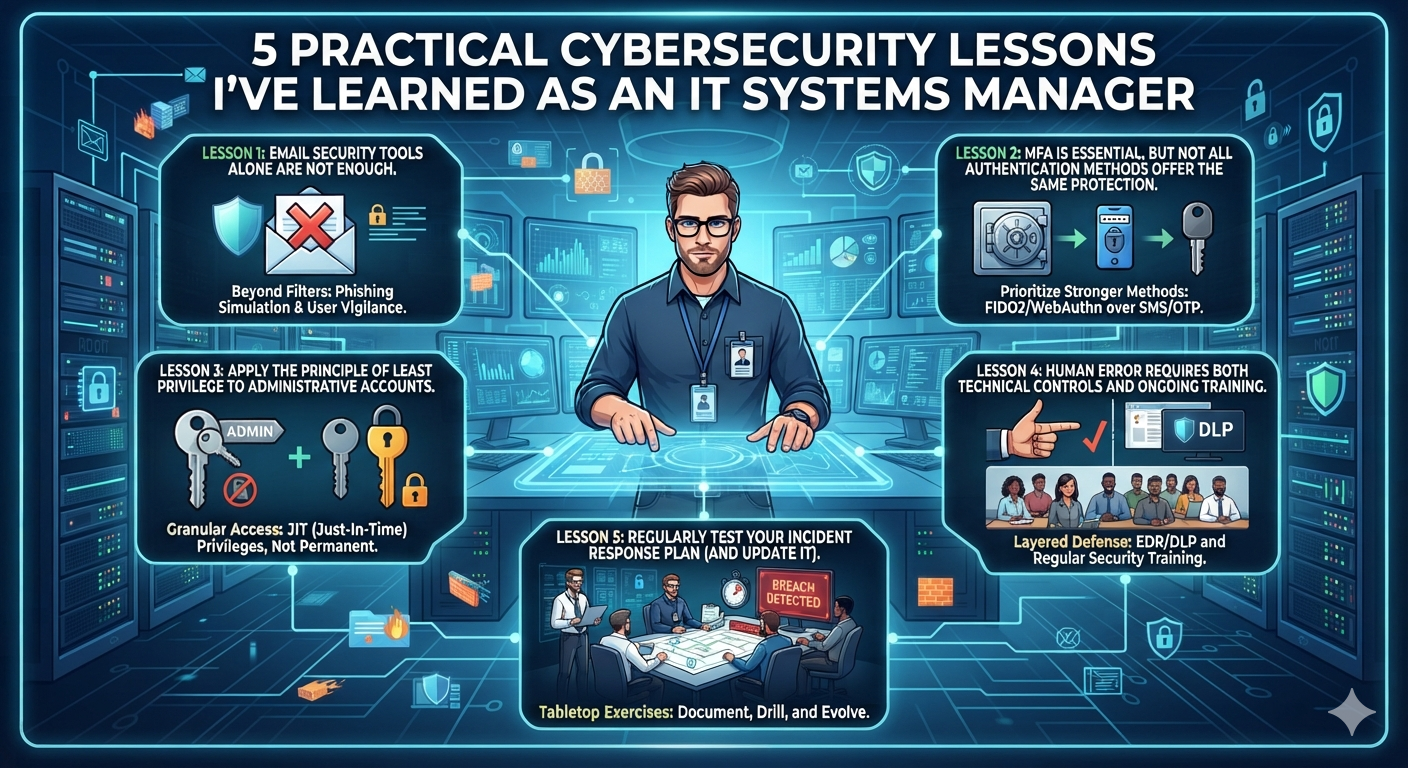
1. Email Security Tools Alone Are Not Enough
Email security gateways, spam filtering, and anti-phishing protection are essential layers of defence. However, even a well-configured email security system cannot guarantee that every malicious message will be blocked.
Business Email Compromise (BEC) is a good example. An attacker might impersonate a supplier, compromise a legitimate mailbox, or send a convincing email requesting an urgent payment or a change to bank account details.
These messages may contain no malicious attachment or obvious link. Instead, they exploit trust and normal business processes.
What IT managers should do
Combine technical controls with business procedures.
- Configure appropriate email authentication controls, including SPF, DKIM, and DMARC.
- Review anti-phishing policies, impersonation protection, and suspicious sender warnings.
- Establish a verification process for supplier bank-detail changes and unusual payment requests.
- Require independent confirmation through a known, trusted phone number or another approved channel.
- Make sure finance and accounts teams know how to report suspicious requests.
For significant payment changes, consider a dual-approval process so that one person’s decision cannot trigger a payment without an independent check.
Email security technology reduces risk, but it cannot replace sound financial controls.
I previously covered a real email compromise incident and the lessons it taught me about email security in [Lessons From a Real Email Compromise Attack: DMARC, Mimecast, and Security Awareness]. That experience reinforced the importance of combining technical protection with staff awareness and verification procedures.
2. MFA Is Essential, but Not All Authentication Methods Offer the Same Protection
Multi-Factor Authentication (MFA) is one of the most important controls for protecting business accounts. Even if a password is stolen, an additional authentication requirement can make unauthorised access more difficult.
However, MFA is not a single, uniform technology. Some methods provide stronger protection against phishing than others.
One example is MFA fatigue, also known as push bombing. An attacker who has obtained a user’s password may repeatedly trigger authentication requests, hoping the user will eventually approve one out of frustration or confusion.
What IT managers should do
- Enforce MFA for business accounts, particularly remote access and cloud services.
- Prefer phishing-resistant authentication methods where practical, such as FIDO2 security keys or passkeys.
- Consider number matching and other available protections for Microsoft Authenticator notifications.
- Use Conditional Access policies where licensing and the environment support them.
- Review sign-in logs and investigate suspicious authentication activity.
- Establish a clear process for employees to report unexpected MFA requests.
Number matching can help reduce accidental approvals, but it should not be treated as equivalent to phishing-resistant authentication. Similarly, SMS-based MFA is generally better than relying on a password alone, but stronger options should be considered for higher-risk accounts.
For Microsoft 365 administrators, protecting privileged accounts deserves particular attention. These accounts should have strong authentication requirements and be used only when necessary.
Microsoft’s guidance on authentication methods and phishing-resistant authentication is a useful starting point.
The key lesson is simple: enabling MFA is an important first step, but organisations should also consider which authentication methods they use and how they respond to suspicious sign-in attempts.
3. Apply the Principle of Least Privilege to Administrative Accounts
Administrative permissions are necessary for managing a business environment, but excessive privileges create unnecessary risk.
For example, a Microsoft 365 administrator who only needs to manage user accounts generally does not need unrestricted Global Administrator access for everyday tasks.
If an account with broad permissions is compromised, the potential impact can extend across multiple services and business functions.
What IT managers should do
Apply the Principle of Least Privilege: give each account only the permissions required to perform its responsibilities.
Practical measures include:
- Assign specific administrative roles instead of granting Global Administrator access by default.
- Use separate accounts for normal daily activities and privileged administration.
- Require stronger authentication for administrative accounts.
- Review privileged role assignments regularly and remove access that is no longer required.
- Use Privileged Identity Management (PIM), where appropriately licensed, to provide eligible administrators with time-limited access.
- Monitor administrative activity and investigate unexpected changes to users, permissions, or security settings.
Not every organisation needs the same administrative model. The appropriate controls depend on the organisation’s size, licensing, operational requirements, and risk profile.
However, the underlying principle applies to businesses of every size: administrative access should be deliberate, limited, and reviewed.
This is especially important in Microsoft 365 environments, where identity and permissions can affect email, SharePoint, OneDrive, and other business services.
4. Human Error Requires Both Technical Controls and Ongoing Training
Security technology continues to improve, but employees still make mistakes. They may click a convincing phishing link, approve an unexpected authentication request, send information to the wrong recipient, or connect an unapproved USB storage device.
The answer is not simply to blame employees. A more effective approach combines appropriate technical controls, clear policies, and regular education.
Manage removable storage appropriately
USB storage devices can introduce malware or provide a way to copy sensitive business information outside approved systems.
However, completely blocking every removable storage device is not always practical. Some employees may have legitimate business requirements, and different organisations have different risk profiles.
A more controlled approach may include:
- Blocking unauthorised removable storage devices.
- Allowing approved devices where there is a documented business need.
- Requiring encryption for removable media containing sensitive information.
- Restricting read, write, or execution access according to risk.
- Logging and reviewing relevant device activity where supported.
Microsoft Defender for Endpoint provides device-control capabilities that can be managed through supported policies, including Microsoft Intune. The available features depend on the organisation’s products, licensing, and configuration.
See Microsoft’s documentation on removable storage access control for more detail.
Make security awareness part of everyday work
Technical controls are only one part of the solution. Employees also need to understand what suspicious activity looks like and what to do when something goes wrong.
Useful measures include:
- Running periodic phishing simulations and follow-up training.
- Teaching employees to verify unusual payment requests and suspicious URLs.
- Explaining how to report unexpected MFA notifications.
- Providing simple reporting channels for suspicious emails and possible incidents.
- Encouraging employees to report mistakes immediately without fear of automatic punishment.
For example, if an employee clicks a suspicious link, early reporting gives the IT team an opportunity to assess the risk and respond quickly.
A strong security culture encourages people to report potential problems rather than hide them. The faster an organisation knows about an incident, the sooner it can investigate and limit potential damage.
5. Backups Are Only Valuable If You Can Recover Your Data
Many organisations pay for backup software but do not regularly test whether their data can be restored successfully.
A backup job reporting success is useful, but it does not prove that every required item can be recovered within an acceptable timeframe.
Recovery can also involve more than restoring a file. An organisation may need to recover an entire SharePoint library, an important mailbox, a virtual server, or business-critical configuration data.
What IT managers should do
- Identify which systems and data are critical to business operations.
- Define Recovery Point Objectives (RPOs) and Recovery Time Objectives (RTOs).
- Review backup coverage, retention requirements, access controls, and protection against unauthorised deletion.
- Perform scheduled restore tests and document the results.
- Test recovery procedures for realistic scenarios, including accidental deletion, compromised accounts, and ransomware.
- Make sure backup administrators and recovery credentials are appropriately protected.
For Microsoft 365, organisations should assess the native recovery and retention capabilities available to them, including version history, recycle bins, retention policies, and Microsoft 365 Backup where applicable.
These capabilities may meet some recovery requirements, but businesses should evaluate them against their own retention, recovery, and operational needs before deciding whether an additional backup solution is necessary.
Third-party solutions such as Veeam Backup for Microsoft 365 and Veeam Data Cloud may be suitable options for organisations that need additional backup and recovery capabilities. The right choice depends on the business’s requirements, licensing, and preferred operating model.
In our environment, we use Veeam Data Cloud for Microsoft 365 backup. However, using a backup product is only one part of the strategy. The ability to restore the right data, within the required timeframe, is what ultimately matters.
I discuss this in more detail in [Microsoft 365 Backup: Why Every Business Needs a Recovery Plan], including recovery planning and the importance of testing restores.
A quarterly recovery exercise can be a useful starting point for many organisations, although the appropriate frequency should reflect the criticality of the systems, the rate of change, and the business’s recovery requirements.
The goal is not simply to have a backup report showing success. It is to demonstrate that the business can recover when something goes wrong.
Conclusion: Build Security Into Everyday IT Operations
Cybersecurity is not a one-off project. It requires ongoing reviews, clear responsibilities, and a willingness to improve existing processes.
These five lessons highlight areas IT managers should pay attention to:
- Email security: Combine technical filtering with independent verification of sensitive requests.
- Authentication: Enforce MFA and prioritise phishing-resistant methods where practical.
- Administrative access: Apply least privilege and review privileged accounts regularly.
- People and devices: Combine security awareness with appropriate endpoint and removable-storage controls.
- Recovery: Test backups and verify that recovery objectives can actually be met.
No single tool or policy can eliminate every threat. A more resilient environment comes from combining preventive controls, monitoring, employee awareness, and tested recovery procedures.
For IT managers, the objective is not to promise perfect security. It is to reduce avoidable risks, prepare for incidents, and make sure the organisation can respond effectively when something happens.
Good cybersecurity is not just about preventing incidents. It is also about limiting their impact and recovering when prevention fails.
Further Reading
- [Lessons From a Real Email Compromise Attack: DMARC, Mimecast, and Security Awareness]
- [Building a Multi-Layered Defense Against BEC Attacks: Beyond Basic Email Security]
- [Microsoft 365 Backup: Why Every Business Needs a Recovery Plan]
- [Microsoft Intune: How I Manage Company Laptops and Devices]
References
- Microsoft Learn: Microsoft Entra authentication methods
- Microsoft Learn: Device control and removable storage access
- Microsoft Learn: Microsoft 365 shared responsibility
Leave a Reply